How to Translate an EPUB Without Losing Chapters, Images, or Formatting
To translate an EPUB without destroying its formatting, keep the work inside the EPUB's chapter structure. Preserve the table of contents, reading order, images, links, and style resources; translate the relevant text nodes or paragraphs; then export a new EPUB and validate it chapter by chapter.
Why copy-and-paste translation breaks ebooks
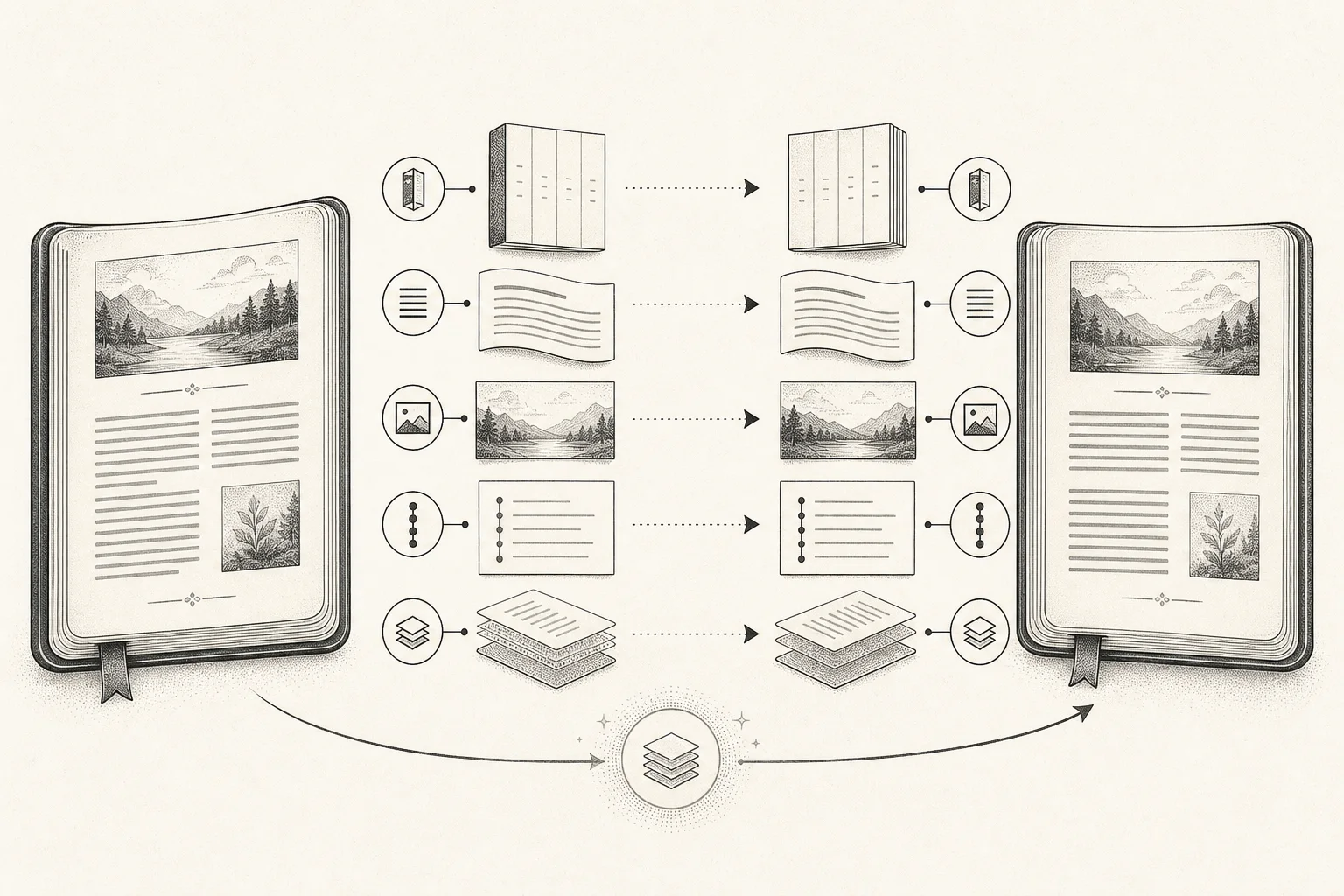
An EPUB is not one long plain-text file. The W3C EPUB 3.3 specification defines a single-file container that can include XHTML, CSS, images, fonts, navigation, metadata, and other publication resources. Its table of contents and default reading order are structured too.
That is why these approaches commonly lose information:
- Copying a whole chapter into a generic text box and keeping only the returned translation.
- Converting the book to Word or plain text, then trying to rebuild the EPUB.
- Splitting text by visible line breaks without respecting headings, lists, footnotes, and links.
- Converting to PDF in the name of “preserving layout,” which removes the EPUB's reflowable reading behavior.
What must survive is not a pixel position from one screen. It is the publication structure: which paragraph belongs to which chapter, where images appear, which spans are headings or emphasis, and how navigation reaches the content.
Choose the method by what you need afterward
| Method | Best for | Formatting risk |
|---|---|---|
| Translate selected sentences while reading | Understanding a few passages quickly | Does not produce a complete translated book |
| Copy chapters into a generic translator | Very short, structurally simple material | Headings, footnotes, links, and images are easily lost |
| Structure-aware full translation and EPUB export | Long-term reading, bilingual comparison, or portable output | Complex styles still need validation |
If one sentence is blocking you, selection translation is faster. Full-document translation becomes worthwhile when you want to read continuously, compare source and translation, or export a complete book.
Check four things before translating
- Make sure the file is DRM-free. Store-protected ebooks generally cannot be processed by third-party tools.
- Inspect the table of contents and a few chapters. Translation will not repair images or navigation that are already broken in the source.
- Identify reflowable versus fixed layout. Novels and most nonfiction are reflowable; comics, art books, and complex textbooks may use fixed layout and are more prone to overflow.
- Keep the original EPUB. A translation should be exported as a new file, not overwrite the only source copy.
Also make sure you have the right to translate and export the material. Personal reading, public distribution, and commercial republication are different permission scopes.
Translate a complete EPUB in DoCube
DoCube translates EPUB body content paragraph by paragraph and keeps a correspondence between source and translated passages. The practical workflow is:
- Import and open the EPUB. Confirm that navigation, images, and body text work before starting.
- In Settings → AI Assistant, configure an online provider and model for document translation. Full translation sends the required text to the provider you select.
- On Mac, choose Full Translation in the top toolbar. On iPhone or iPad, open it from the reading actions menu.
- Choose a target language and start. You can leave and continue unfinished work later; completed language versions can be reopened directly.
- Read in side-by-side, stacked, or translated-overlay mode, and swap source and translation positions when useful.
- If one paragraph fails or reads poorly, retranslate only that paragraph. The previous text is replaced only after a new result succeeds.
- From the translation panel, export either a translation-only EPUB or a bilingual EPUB that keeps source and translation together.
Translated-file export is a Pro feature. It creates a new file; the original EPUB remains in the library.
What “preserved formatting” should mean in testing
No automatic pipeline can promise pixel-perfect output for every EPUB. Check at least:
- The table of contents still opens the correct chapters.
- Chapter order is complete, with no duplicated or missing sections.
- Headings, lists, quotations, footnotes, and links retain their semantics.
- Images remain present and captions stay near the intended image.
- Emphasis and paragraph boundaries have not been split incorrectly.
- Longer translated text does not overflow tables, poetry, controls, or fixed layouts.
- Names, terminology, numbers, negation, and units are accurate.
Open the export in two reading systems and at more than one window width. A reflowable book paginates differently by device, so looking correct in one viewport is not enough.
Bilingual EPUB or translation-only EPUB?
Choose based on the next reading task:
- Bilingual output is better for language learning, professional material, and frequent source verification. It is also longer.
- Translation-only output is calmer for continuous reading, but errors require returning to the source book.
- In-app comparison without exporting yet is best during proofreading. Export a final copy after the translation is stable.
For research papers, contracts, technical standards, and medical material, keep the source available. Machine translation should not replace verification of consequential wording.
EPUBs most likely to need manual repair
Pay extra attention to:
- Fixed-layout ebooks, comics, and illustrated books.
- Mathematics, code, vertical writing, and ruby annotations.
- Heavy use of footnotes, cross-references, or popup notes.
- Sentences split across many inline formatting elements.
- Books that depend on scripts, external assets, or custom fonts.
- Source files that are already non-conforming EPUBs.
For these books, translate and export one chapter first. Verify navigation, images, and paragraph structure before spending time or API cost on the rest.
Privacy, cost, and terminology consistency
The EPUB can remain stored and read locally, but DoCube's current full-document translation uses an online AI provider configured by the user. Relevant text is transmitted to that provider and may incur usage charges. Review its data policy before translating sensitive material.
Long books introduce a second problem: terminology drift. A model may translate the same concept differently in later chapters. Define important terms in advance when possible, then sample-check headings, names, and repeated domain vocabulary. High-stakes output still needs translation memory or human review.
Frequently asked questions
Can DoCube translate a whole EPUB entirely offline?
Not currently. Full-document translation requires a user-configured online model. Whether system selection translation can work offline depends on installed operating-system language resources, and it is not a full-book export workflow.
Can I still change the font size after translation?
A reflowable EPUB should retain ebook reflow, with font size and content width controlled by the reading system. Fixed-layout publications may not offer the same flexibility.
Does bilingual export overwrite the original book?
No. DoCube exports a new bilingual or translation-only EPUB from the translation panel, while the imported source remains in the library.
If you want the source book, translated copy, and reading notes to remain organized locally, continue with How to Manage PDF and EPUB Notes Locally.