Local-first Knowledge Base
Every PDF.
Every highlight.
Every video subtitle.
What you've read should stay findable.
DoCube turns collecting, reading, annotating, searching and reviewing into one continuous workflow — all on your own devices.
Sources
PDF / EPUB / Web / Markdown / Video
Retrieval
Keyword + semantic search
Long-term use
Annotations, links, cards & spaced review
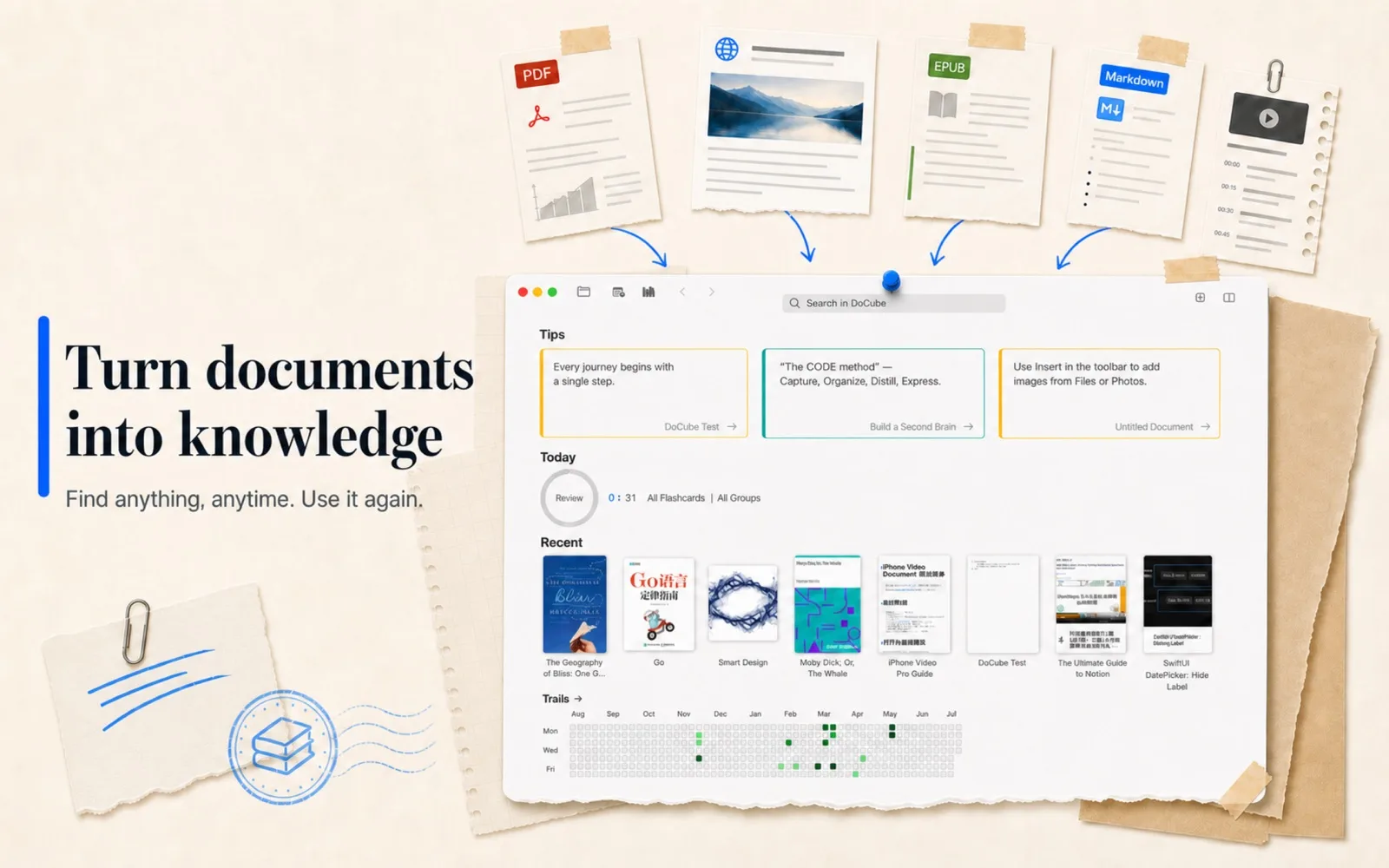
One Library
Knowledge grows when everything lives in one place
PDFs, EPUBs, webpage snapshots, Markdown notes, MinerU-parsed documents and videos all land in the same library. Folders, tags and dynamic projects keep everything in place; type filters and title search keep retrieval fast.
- Collect via local import, folder scan, share sheet and web clipping
- Clean up webpages before saving as snapshots or Markdown
- Organize with folders, tags and dynamic projects
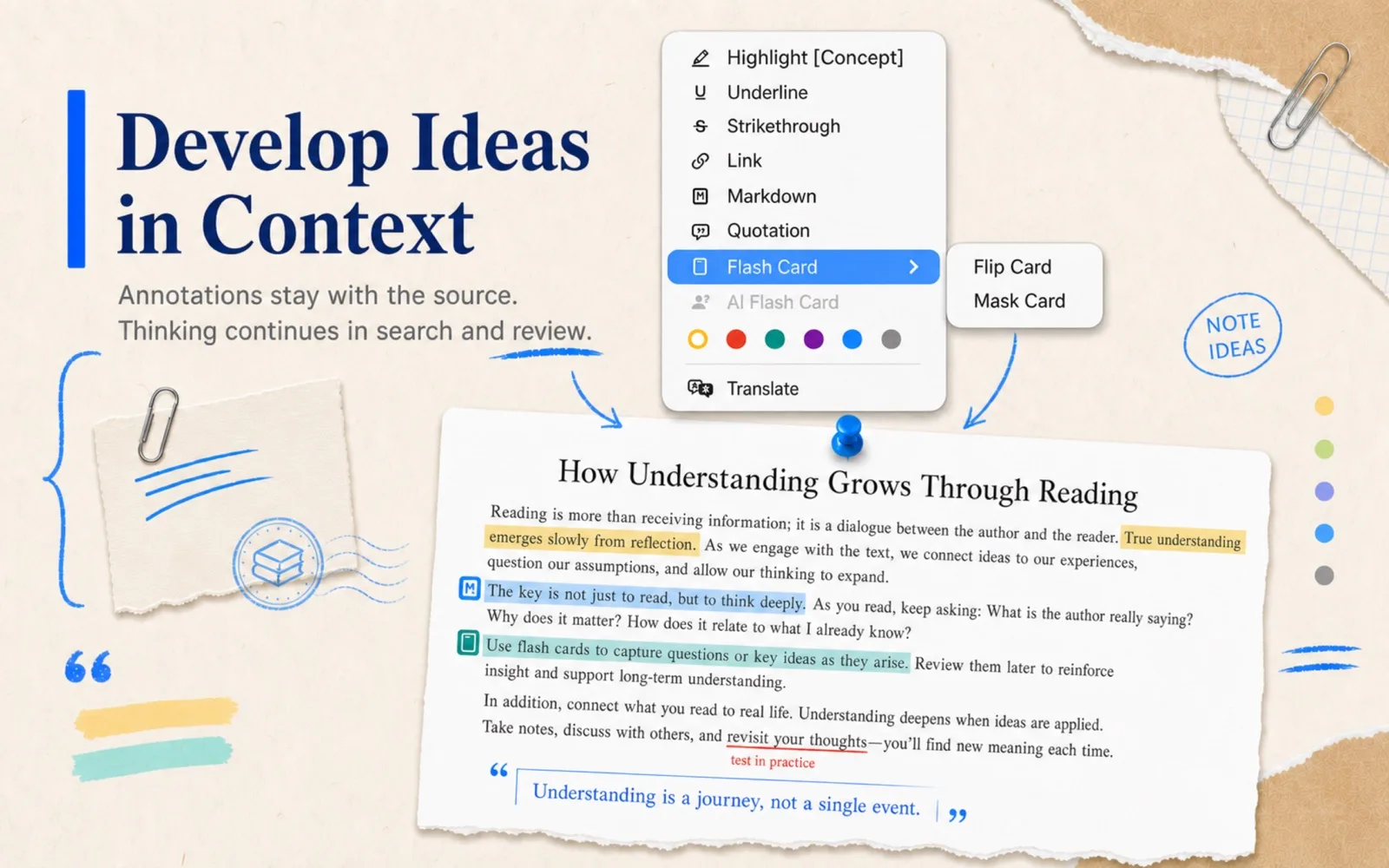
Read & Annotate
What you mark while reading keeps working for you
Highlights, underlines, strikethroughs, quotes, Markdown notes and flashcards stay right where you made them. They are not just reading traces — they flow into search, links and review, becoming knowledge you can find, organize and reuse.
- Eight annotation types, six colors, across PDF / EPUB / web / MinerU / subtitles
- Quote annotations resurface in home tips and widgets
- Scanned PDFs become searchable and annotatable after on-device OCR
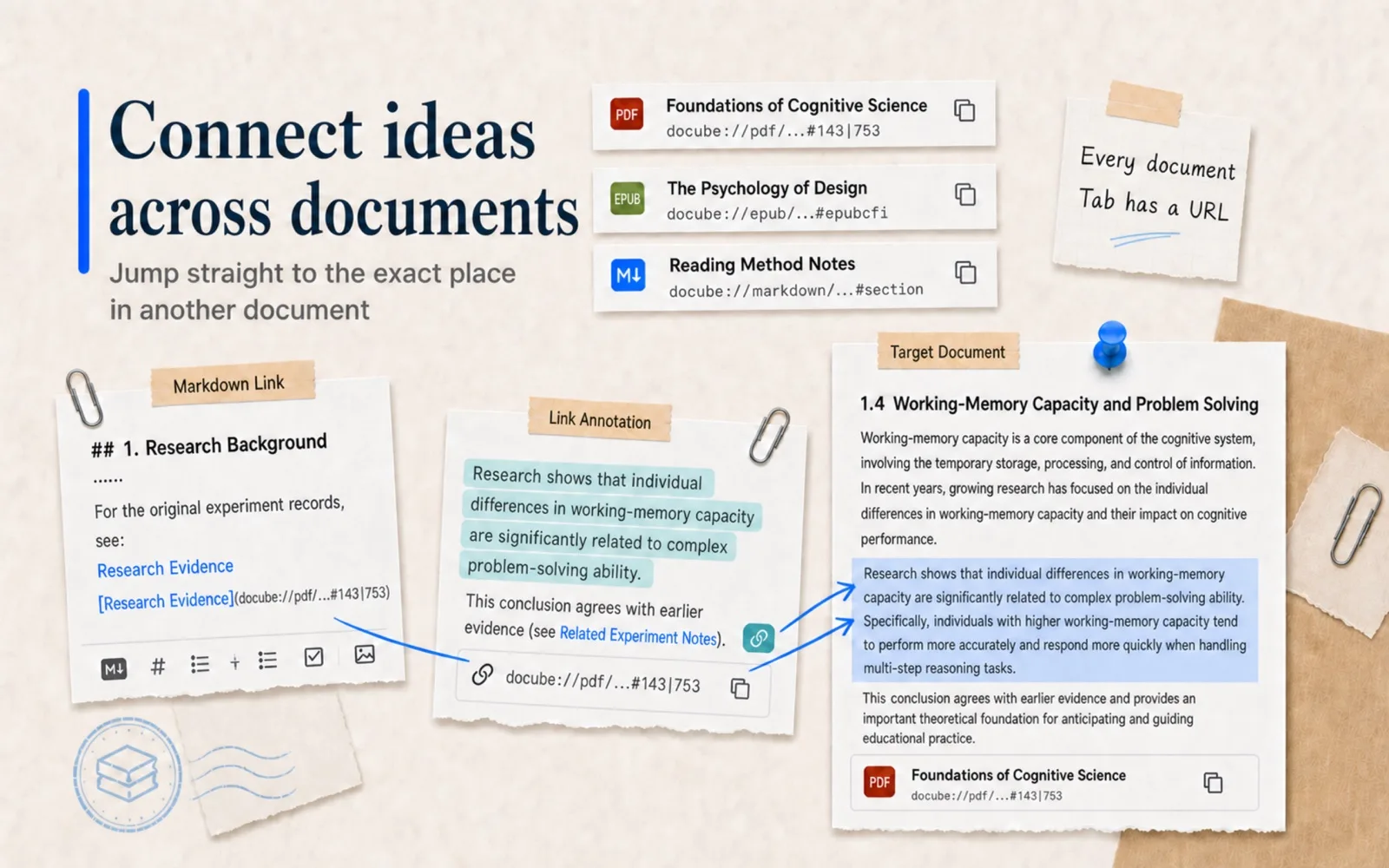
Document Links
Links point to exact places, not just documents
Every document tab has its own docube:// address, precise down to a PDF page, a Markdown heading, an EPUB paragraph, a MinerU block or a video timestamp. Link annotations and Markdown links both use it — what you copy out is not just "this document", but "this place inside it".
- Links land on paragraphs, pages and timestamps — not covers
- Paste the address into any app and jump back anytime
- Search results, bookmarks and annotations return to exact positions
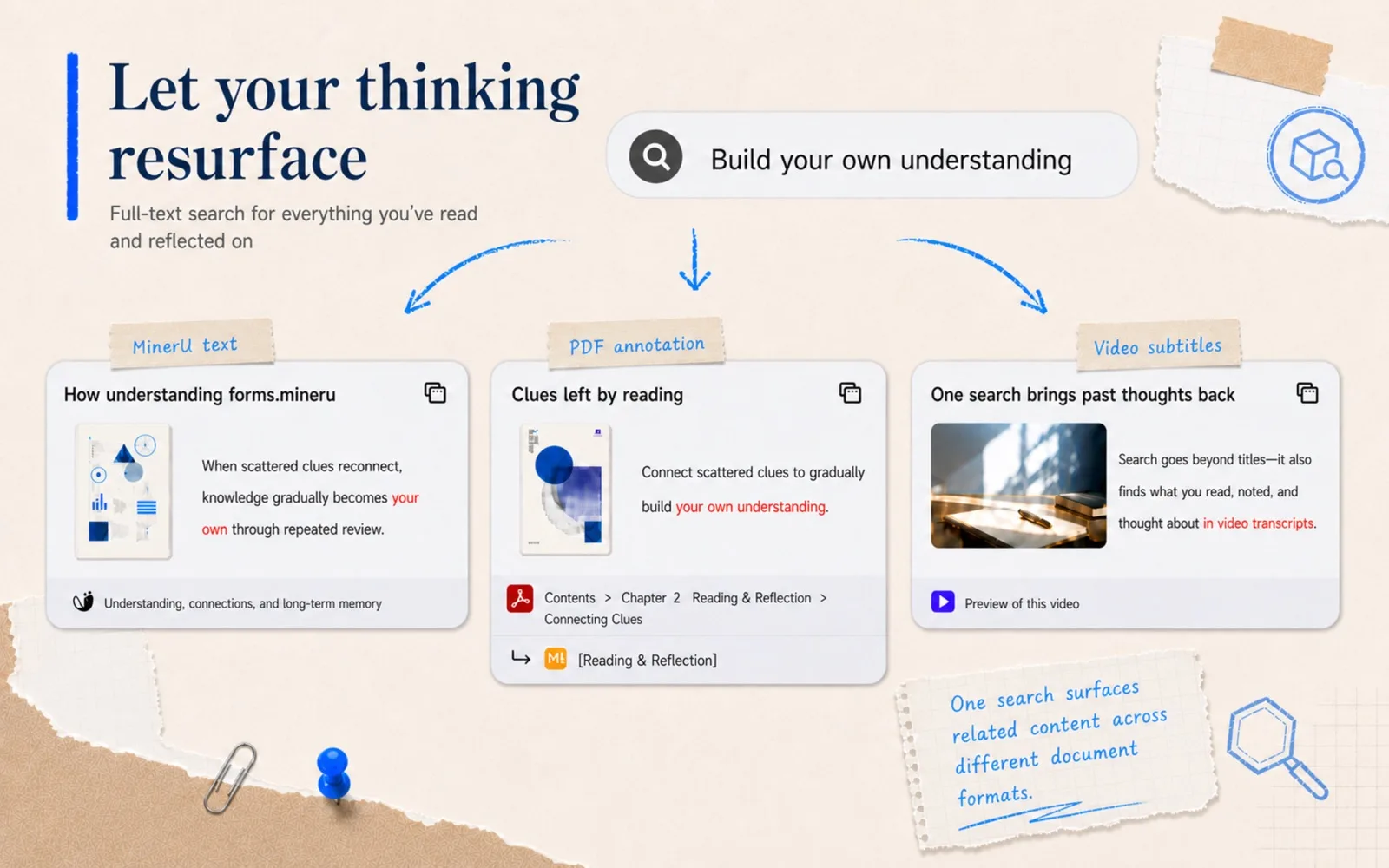
Search
Search your reading traces, not just the text
Full-text search looks beyond titles and body text — it also covers highlights, quotes, underlines, links, Markdown notes and cards, so annotated content ranks higher. With embedding configured, keyword and vector results are fused; with AI configured, results can be summarized into a Markdown answer with cited sources.
- BM25 index with per-field weights for body and annotations
- Hybrid BM25 + vector retrieval, fully offline with local models
- AI summaries cite sources and save back into the library
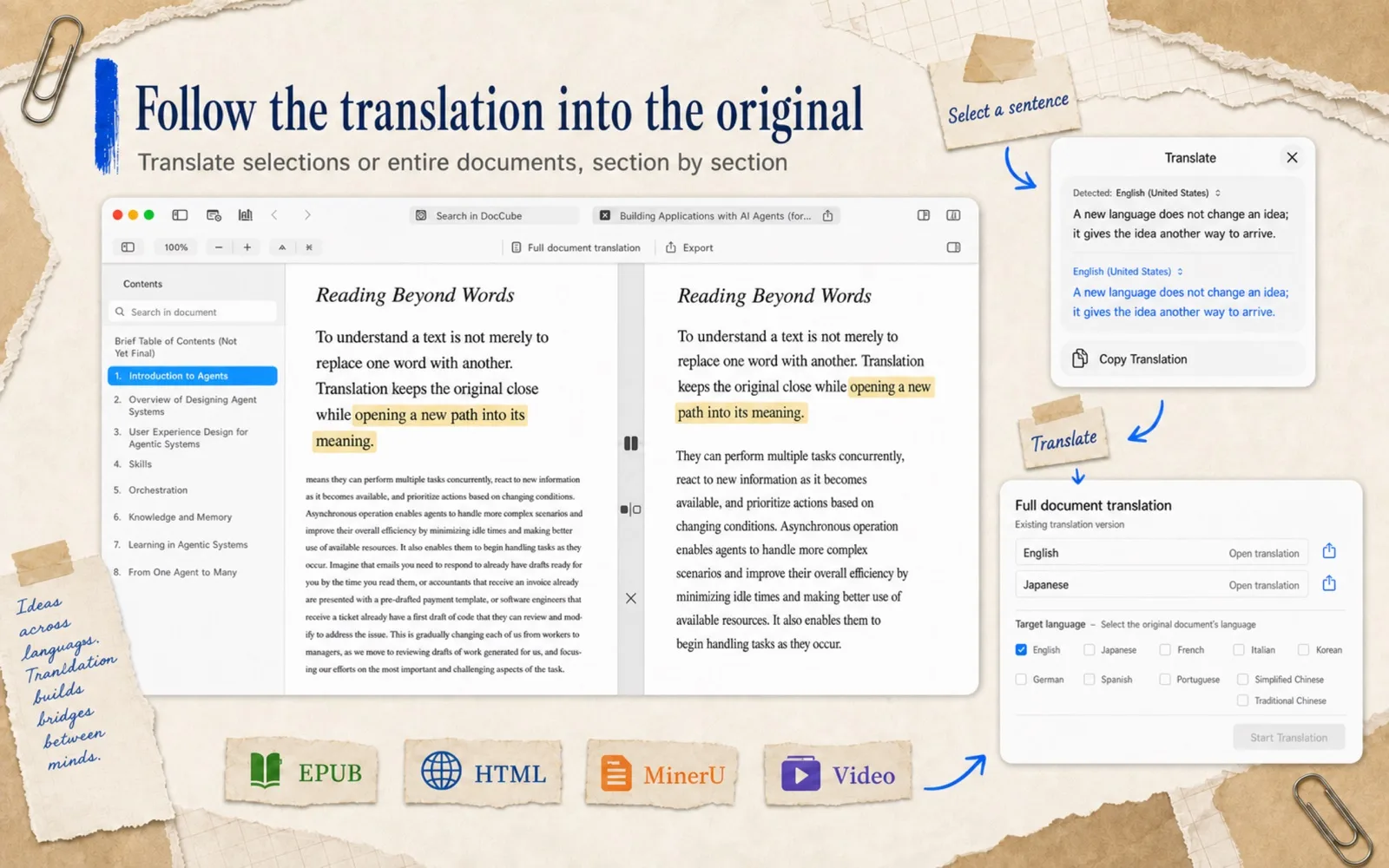
Translate
Read foreign-language materials as you go
Translate any selection instantly in PDFs, EPUBs, webpage snapshots and MinerU documents. EPUB, snapshots and MinerU also support full-text translation — generated paragraph by paragraph, resumable anytime, and exportable as bilingual or translation-only editions.
- Selection translation uses the system service — no API key needed
- Full-text translation with side-by-side, overlay and per-paragraph retry
- Export bilingual or translation-only editions
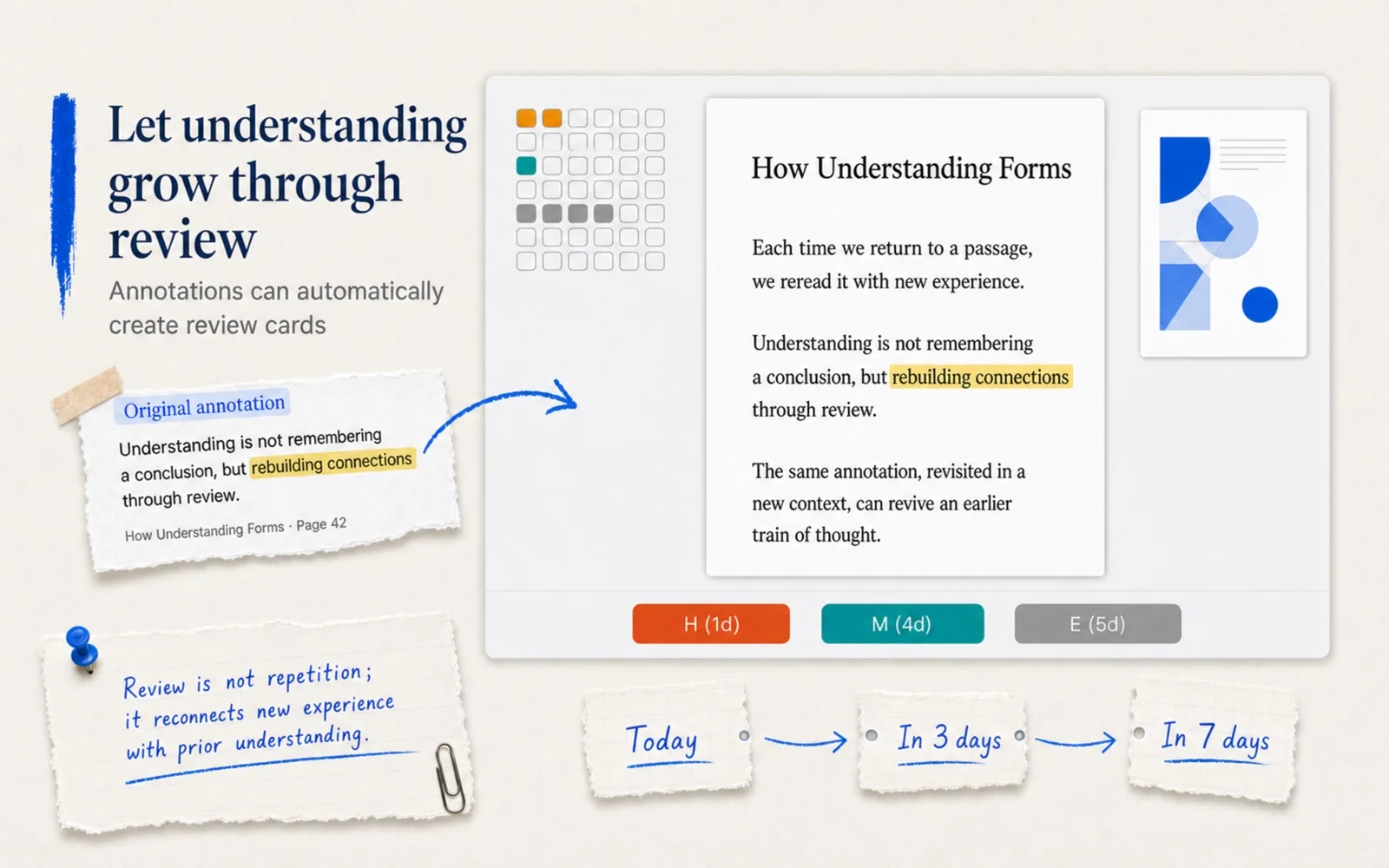
Review
What you have read comes back when it is time
Annotations turn into review cards automatically by rules; flip cards and mask cards train active recall. Each review is one tap — hard, okay or easy — and DoCube schedules the next round with spaced repetition, so knowledge stays alive after reading.
- Highlights and quotes auto-enter review by type-and-color rules
- Flip cards and mask cards, with AI-drafted candidates
- Hard / Okay / Easy feedback drives the schedule
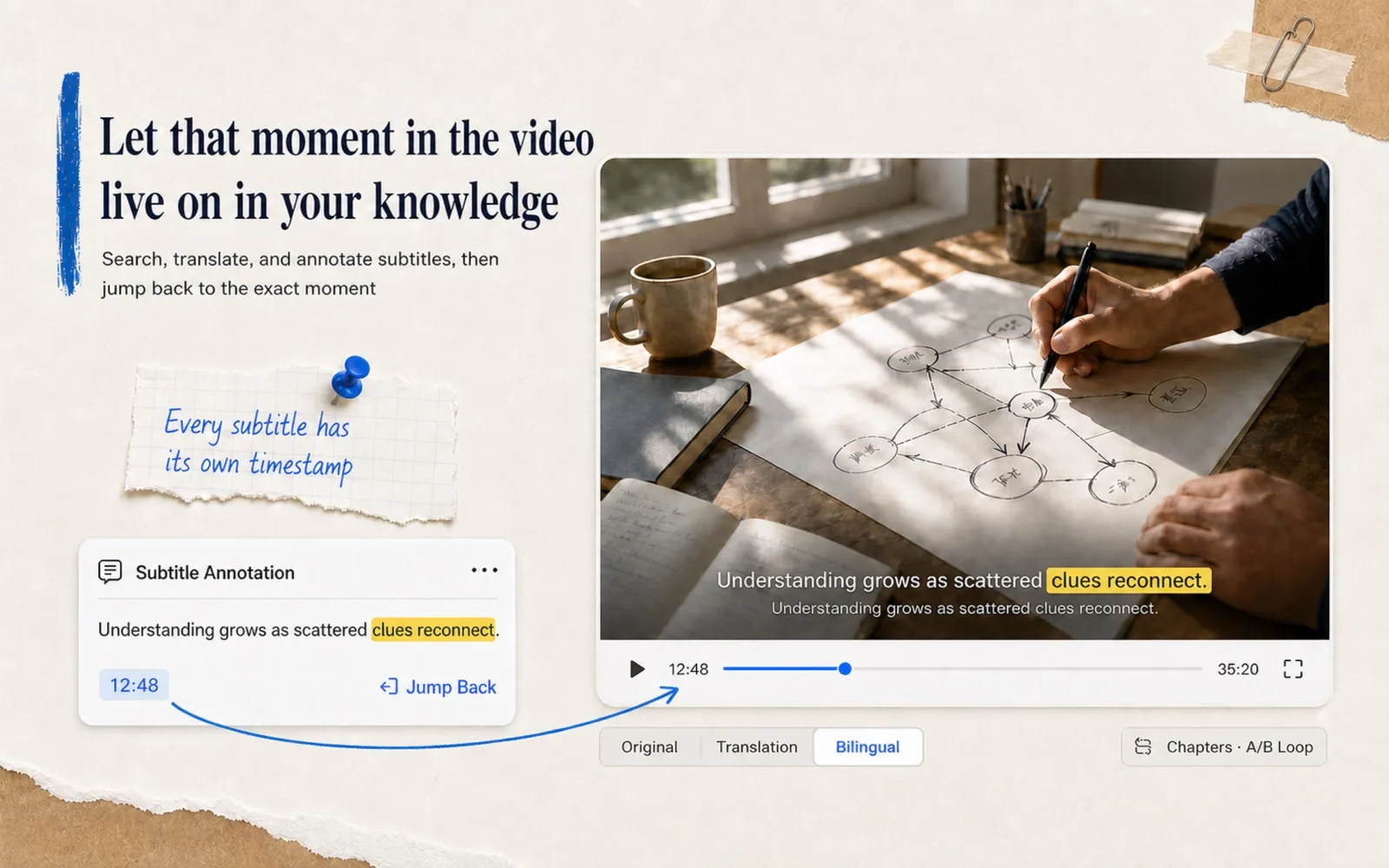
Video
Keep the exact moment from any video
A video document puts the player, subtitles, chapter outline, bookmarks and annotations on one page. Videos without subtitles get them from on-device Whisper; subtitles can be translated and annotated, and every annotation carries a time range that jumps straight back to that second.
- Subtitle navigation, speed control and A-B loop for shadowing
- Offline Whisper subtitles and AI chapter outlines
- Timestamped subtitle annotations return to the exact frame
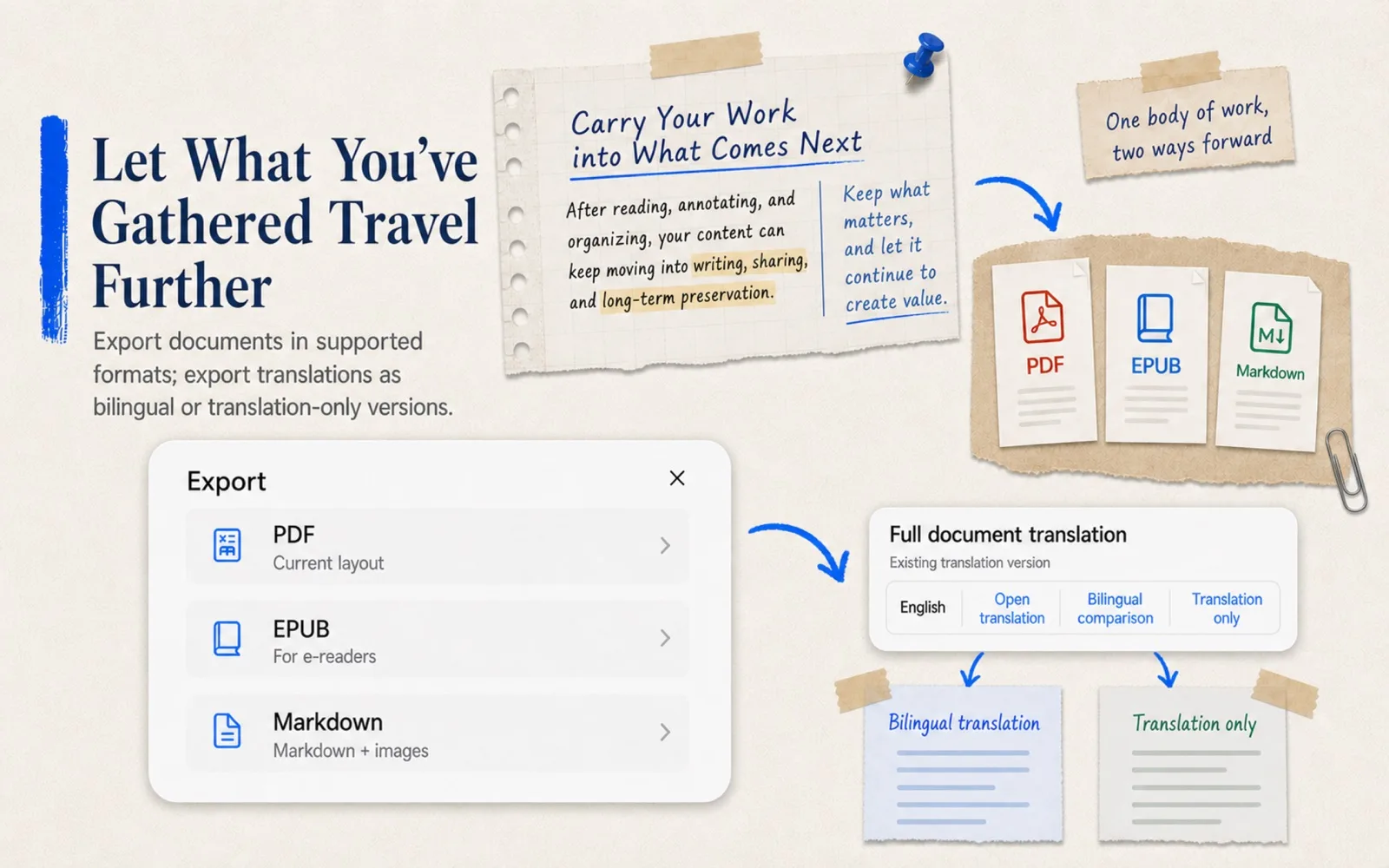
Export
What settles here can travel on
Markdown, webpage snapshots, EPUB and MinerU documents all have clear export paths: original files, reading-layout PDF, EPUB, and bilingual or translation-only editions. Exports are independent copies — your knowledge is never locked in.
- Export to PDF / EPUB / Markdown / HTML / archive
- Bilingual or translation-only export for translated editions
- Export right from the reading toolbar
More
More for deep readers
From scans to Markdown, from dynamic projects to local sync — these capabilities live in every step of collecting, reading, organizing and output.
OCR for Scans
Add a text layer to scanned PDFs on-device, then copy, search and annotate. Complex layouts can become structured MinerU documents.
Markdown Workbench
Edit with a live preview side by side: math, Mermaid diagrams, mind maps, audio and video, with a full syntax example in every new document.
Dynamic Projects
Combine rules over name, tag, type, import date and reading progress to generate live views like paper reading lists or course notes.
AI Inside the Workflow
Search summaries, semantic search, AI flashcards, document translation and video chapters — pick a provider or local model per task.
iCloud + Local Sync
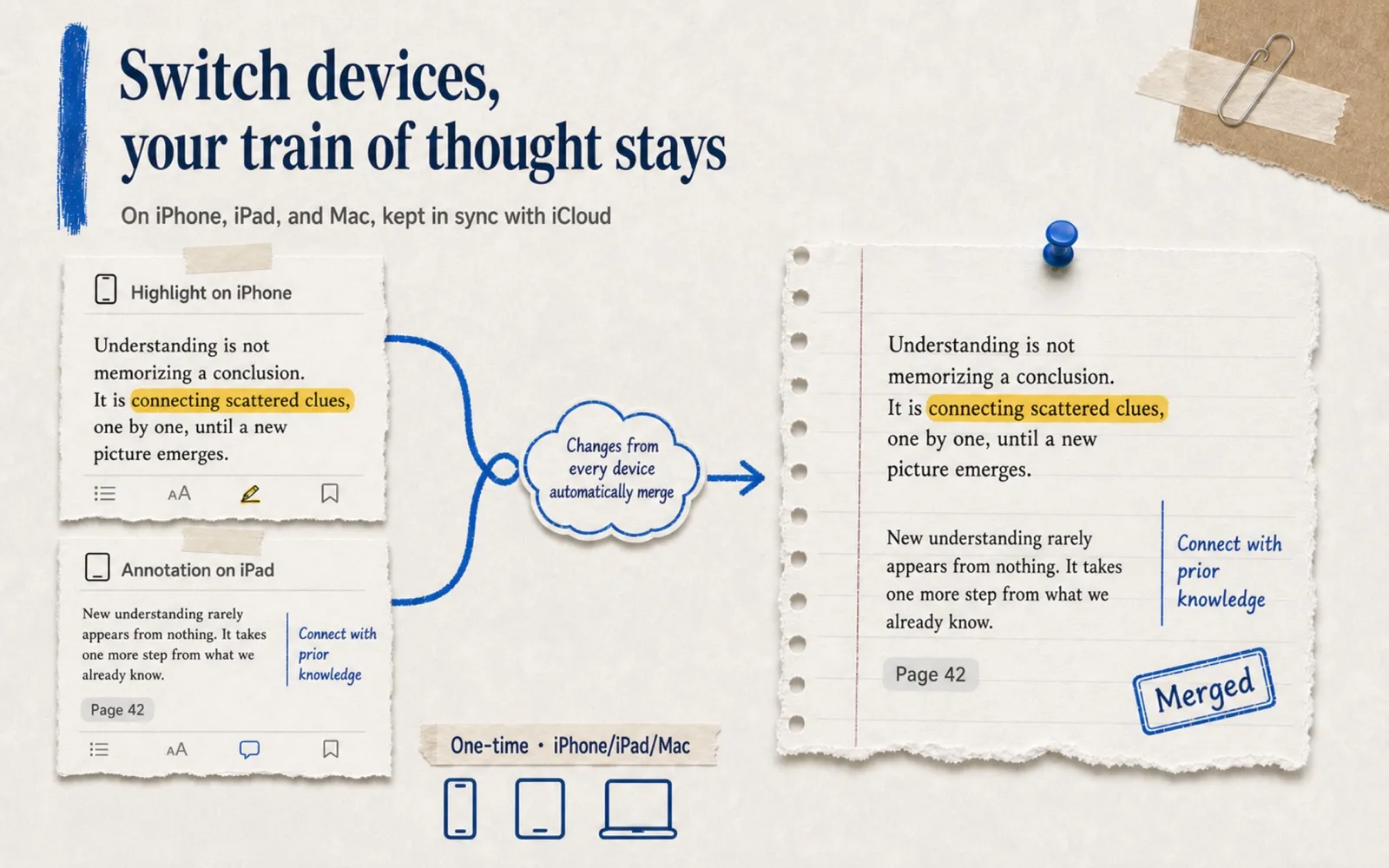
Changes merge automatically via iCloud; large files can move device-to-device over local P2P, no cloud involved.
Plans & Stats
Weekly reading and review plans, progress tracking, an activity heatmap and review stats keep long-term habits visible.
Privacy
Local-first: your data stays yours
DoCube is a library built on your own devices. We believe materials gathered over years should belong to their owner — like a paper notebook.
We never collect or store personally identifiable information, nor any private data created inside the app.
Only fully anonymous usage data and crash reports are collected, solely to improve the app.
All documents, notes and related data live on your devices and sync through your own iCloud account — you stay in control.
Only when you use AI features are the relevant text snippets sent to the AI provider you configured yourself.
Download
One purchase, every device
DoCube runs on Mac, iPhone and iPad, merging changes through iCloud — highlights made on your phone wait exactly where you left them on your Mac.
Free
$0
Up to 5 documents, with the full collect-read-annotate-search-review workflow.
Pro
One-time purchase
Unlimited documents, plus translation and format-conversion exports, on all platforms.
Start with your next document — and keep what you read.
Import, annotate, retrieve, link, review. Make deep reading an ongoing practice.