How to Link Notes to Exact Places in PDFs and EPUBs
To link a note back to a PDF or EPUB, save a document identity plus a content location instead of only a filename or book title. A PDF link should land on a page location; an EPUB link should follow the chapter and passage. Put that address in an independent note, and one click can return to the evidence.
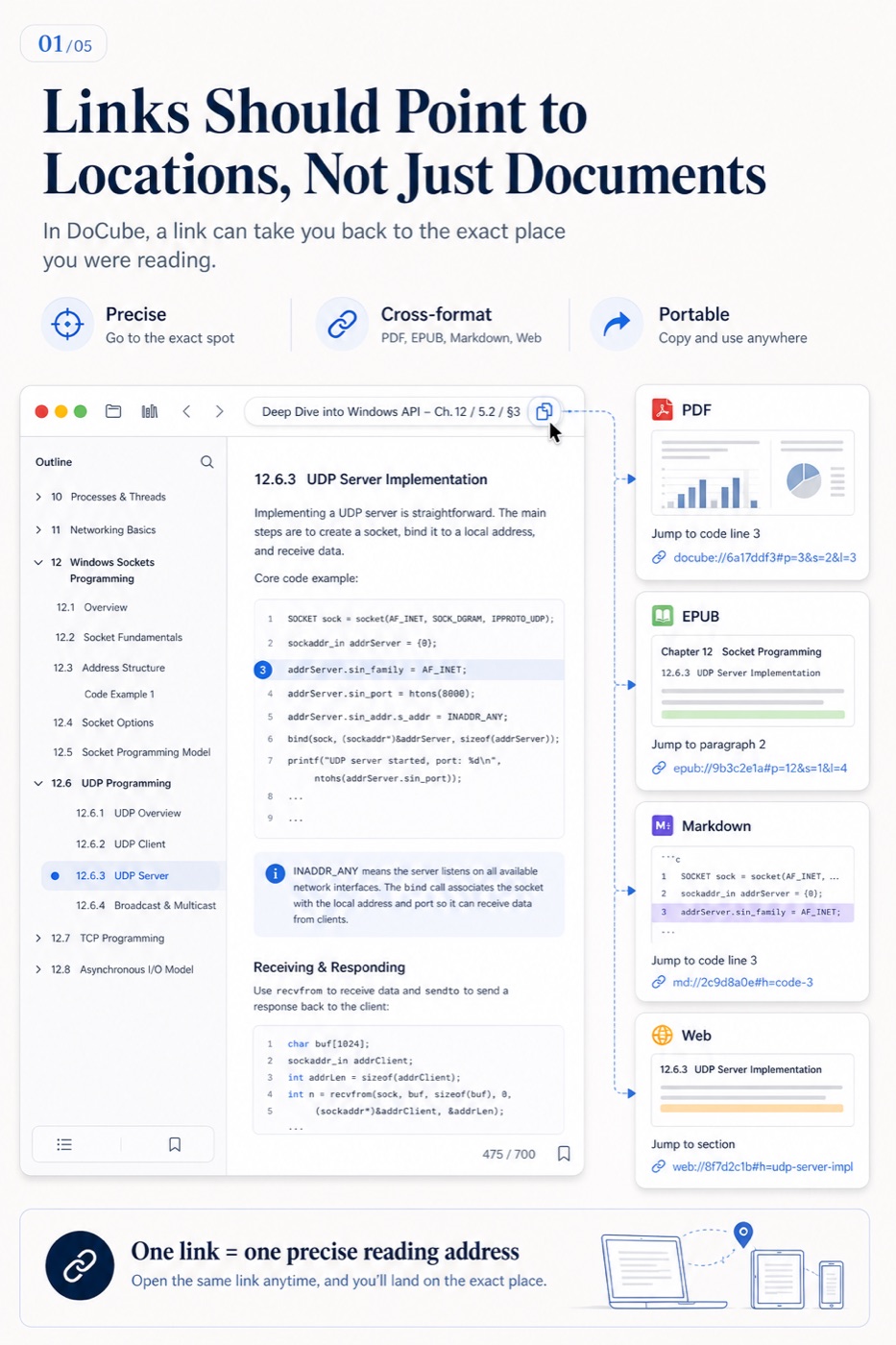
Document links and location links solve different problems
Imagine a key conclusion inside a 400-page report:
- A document link reopens the report.
- A page link opens the relevant page.
- A location link returns close to the passage or selection you were reading.
The difference feels small with ten files. Months later, when all you remember is “that report mentioned it,” reopening the cover is almost the same as starting another search. The useful link completes the last mile from note to evidence.
PDF annotations and linked notes are not the same thing
| Method | Where the content lives | Best for | Limitation |
|---|---|---|---|
| Highlight or short comment | Attached to the source passage | Marking importance and immediate reactions | Poor fit for long, cross-document analysis |
| Independent note | Separate Markdown or note document | Outlines, arguments, and multi-source synthesis | Loses evidence when it has no source links |
| Link annotation | A source passage points to another location | Connecting arguments, evidence, and editions | Usually one-way; not automatically a backlink |
A practical division is to keep short reactions on the source and long analysis in independent notes, with exact source links beside every important claim.
Store locations according to the format
- PDF: document identity, page number, and a more precise page position when available.
- EPUB: document identity, chapter, and content position rather than a page number that changes with font size.
- Markdown: document identity plus a heading or custom anchor.
- Saved webpage: the saved document identity and paragraph position, not only a live URL that may change.
- Video: document identity and playback time, ideally with the subtitle range too.
No locator is indestructible. Replacing a file, heavily editing chapters, deleting headings, or regenerating content can make old links inaccurate, so sample-check important references after structural changes.
Copy and reuse an exact location in DoCube
DoCube uses docube:// addresses to represent documents and reading positions. The basic workflow is:
- Open the target PDF, EPUB, Markdown, MinerU document, saved webpage, or video.
- Navigate to the page, passage, block, or timestamp you want to cite.
- Use the document-address action to copy the current DoCube location.
- Paste the address into a Markdown link, a link annotation, or another notes app.
- Open it immediately and verify the target.
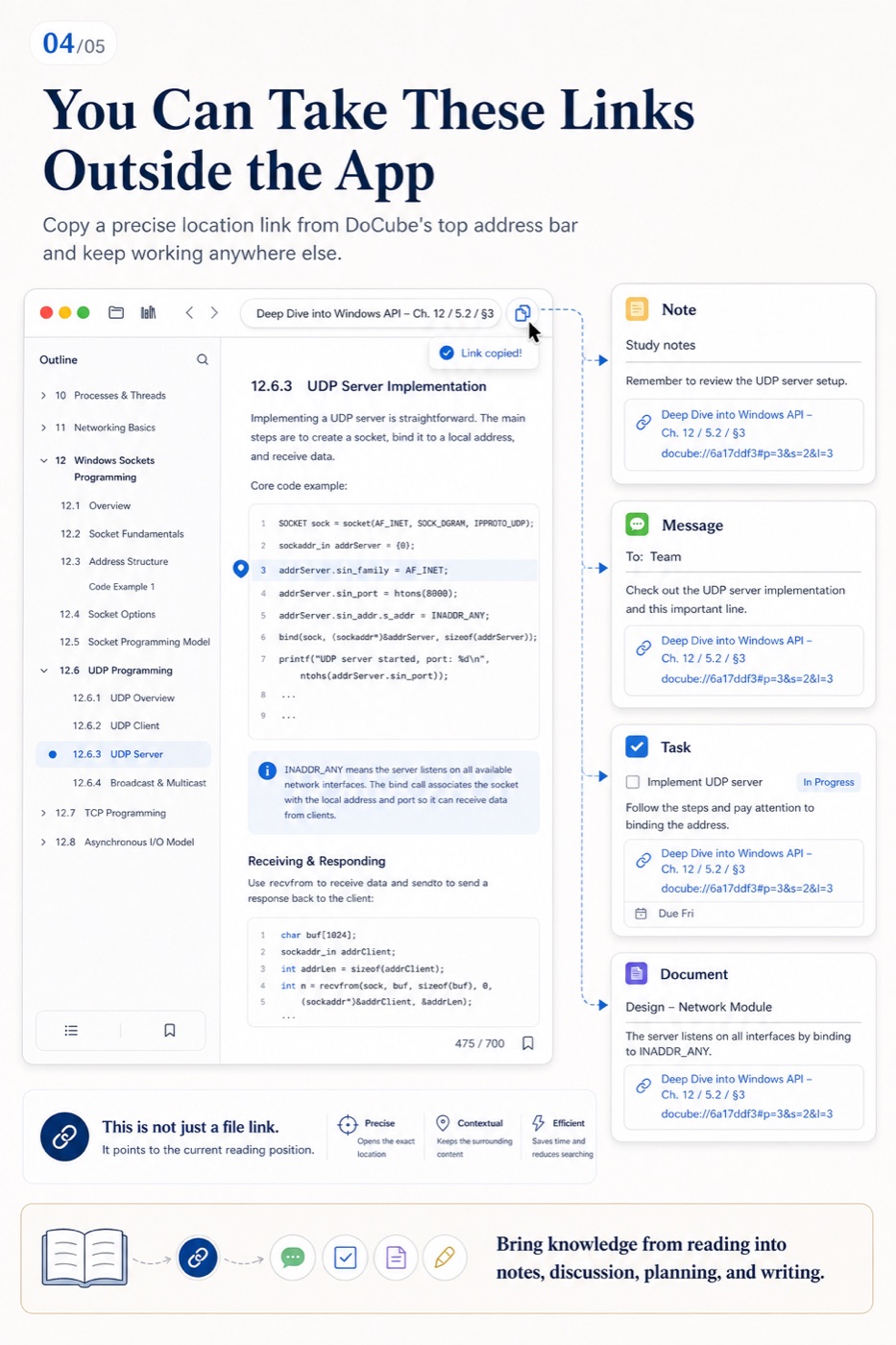
In Markdown, wrap the raw address in a readable title:
[Original argument about retrieval ranking](docube://...)
Changing the text inside brackets does not change the target. Editing the URL does.
Link one source passage to another document
To make a passage in a PDF or EPUB point directly to other evidence:
- Open the target and copy its current location address.
- Return to the source document and select the words that should carry the link.
- Choose Link from the selection actions, paste the target address, and save.
- Open the new link annotation and verify the destination.
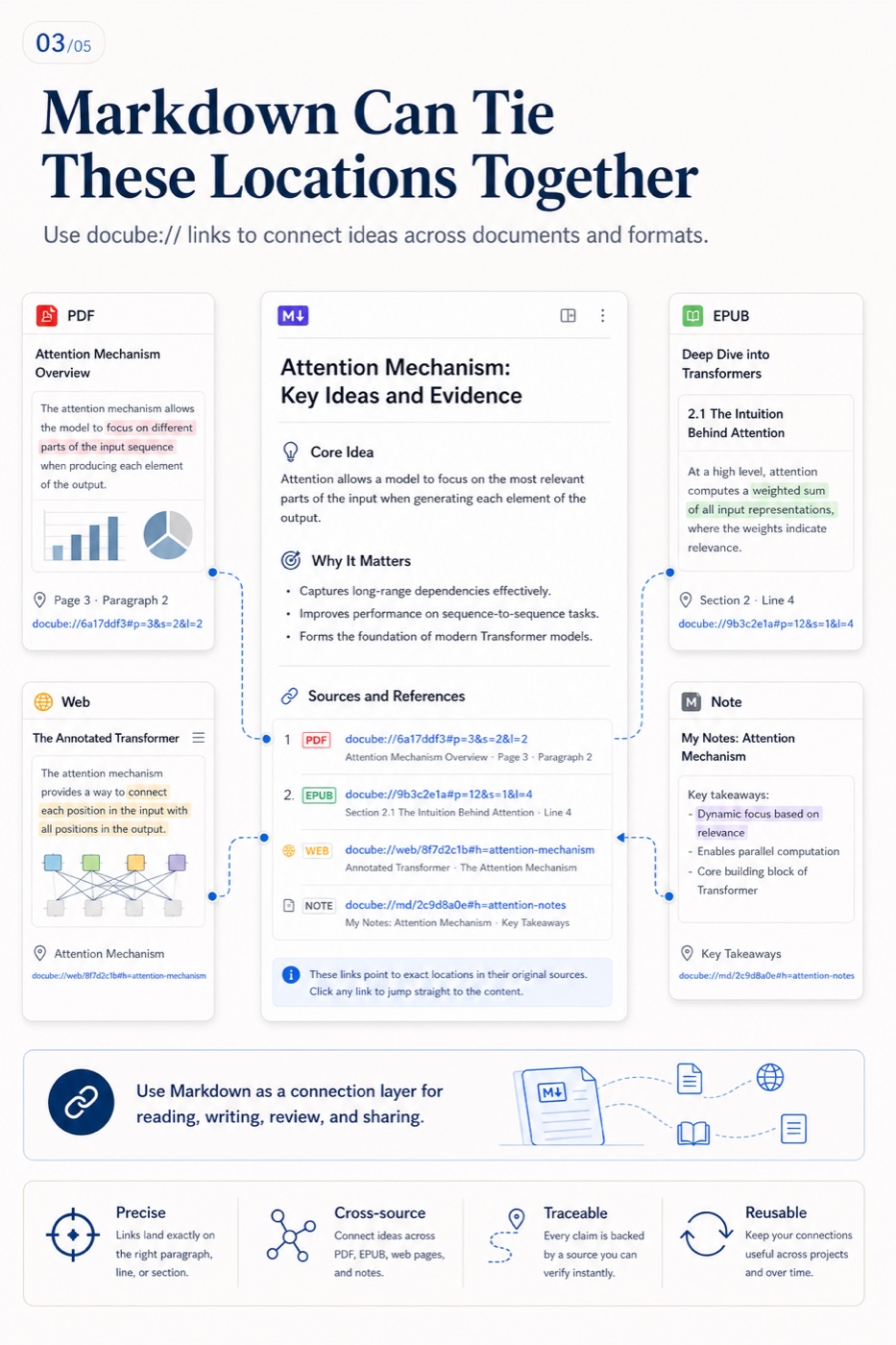
This is useful when you want to:
- Connect a paper's conclusion to its method or data page.
- Link a textbook passage to a definition in another chapter.
- Compare two translations of the same work.
- Jump from criticism to the exact passage under discussion.
- Connect course notes to a precise moment in a lecture video.
A link annotation is a one-way relationship. It does not automatically create a “linked from” list in the target document. Tab history can take you back through a visit, but history is not a backlink either.
Why independent Markdown works well as the connection layer
An independent note must stay easy to reorganize while retaining a route to original material. Markdown fits that layer because the body remains readable text and links live directly in the content.
One topic note can point to:
- A page inside a PDF.
- A passage in an EPUB.
- A paragraph in a saved webpage.
- A timestamp in a video.
- A heading or anchor in another Markdown note.
The note becomes a navigation and argument layer rather than a warehouse of copied material. Sources remain in formats suited to reading; the note explains why they belong together.
Four practical limits of location links
1. The link does not contain the source file
A docube:// address stores identity and position, not the PDF or EPUB bytes. Before sending a note to another device, make sure the target document has been imported or synchronized there.
2. A custom URL needs its application
A browser handles ordinary web links; docube:// requires DoCube. For long-term research or collaboration, write human-readable fallback metadata beside the link—title, author, page, chapter, or quotation.
3. Source changes can invalidate locations
Replacing a PDF with another edition, rearranging EPUB chapters, or deleting Markdown headings can move the target. Preserve a short quotation and version information for important citations.
4. Sync is not backup
If the target document is deleted, that deletion may synchronize to other devices and leave the link without a destination. Export and back up important documents and notes independently.
Use search, links, and history for different jobs
- Search finds a source when you do not know where it is.
- Links preserve a relationship you already know matters.
- History returns through recently visited locations without advance organization.
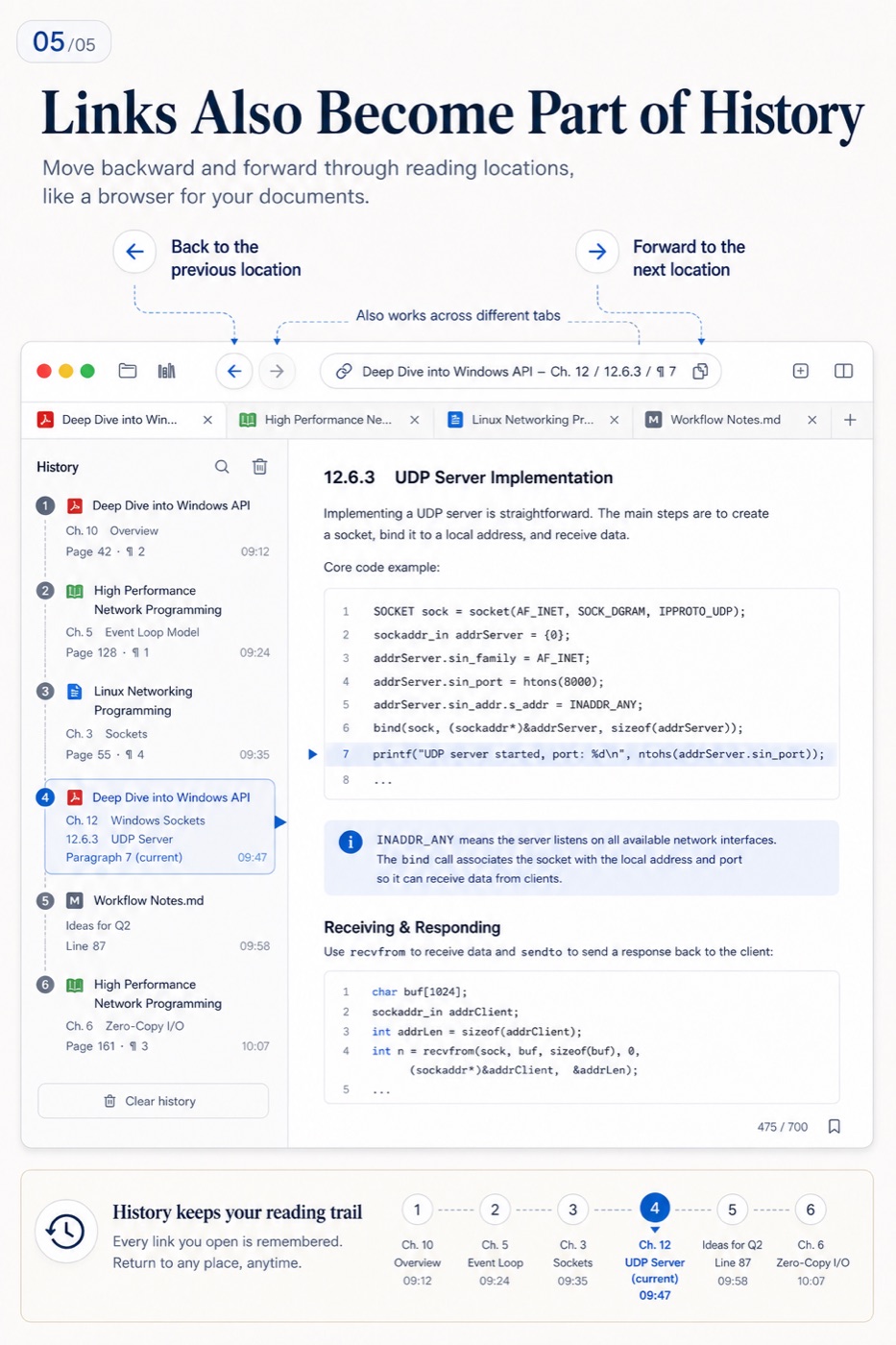
A good knowledge workflow does not require designing every relationship up front. Search first, create links for durable connections, and let history handle temporary movement.
Frequently asked questions
Why not copy the whole passage into the note?
A short excerpt helps with context, but copied content separates from its source and may omit figures, footnotes, or edition details. Keep a concise quotation and an exact-location link together.
Will an EPUB link survive a font-size change?
If the tool stores a content position rather than a displayed page number, it should return near the same passage. Replacing the EPUB or heavily changing chapter structure still requires verification.
Can linked notes replace PDF annotations?
Not entirely. Highlights and short comments fit the immediate reading context; linked notes organize longer thinking across several sources. The two work better together.
Can a DoCube link live in another notes app?
Yes, if the notes app preserves custom URLs and the device opening it has DoCube and the corresponding document.
If the searchable library does not exist yet, start with How to Search Across Hundreds of PDFs on Mac and How to Manage PDF and EPUB Notes Locally.